
IntelliCAD 14.1 Released
A Trusted, Open Platform for CAD Solution Providers
IntelliCAD 14.1 is now available, delivering a focused update to the IntelliCAD 14 platform that emphasizes stability, performance, and targeted improvements across everyday drafting, mapping, BIM, DGN, and developer workflows.
This release continues the ITC mission to provide an open, extensible CAD engine that members can integrate, customize, and ship as part of their own solutions. Whether you build vertical applications, custom workflows, or complete CAD products under your brand, IntelliCAD 14.1 provides a stable, production ready foundation that incorporates direct feedback from ITC members.
With geospatial PDF export, Azure map support, advanced block testing, FAS and VLX LISP support, and many reliability fixes, IntelliCAD 14.1 helps you reduce support overhead, streamline development, and deliver more value to your users.
What’s New in IntelliCAD 14.1?
IntelliCAD 14.1 includes many new features and fixes. Highlights are below.
For full details, see the IntelliCAD 14.1 overview video and release notes.
Geospatial PDFs and Mapping Workflows
-
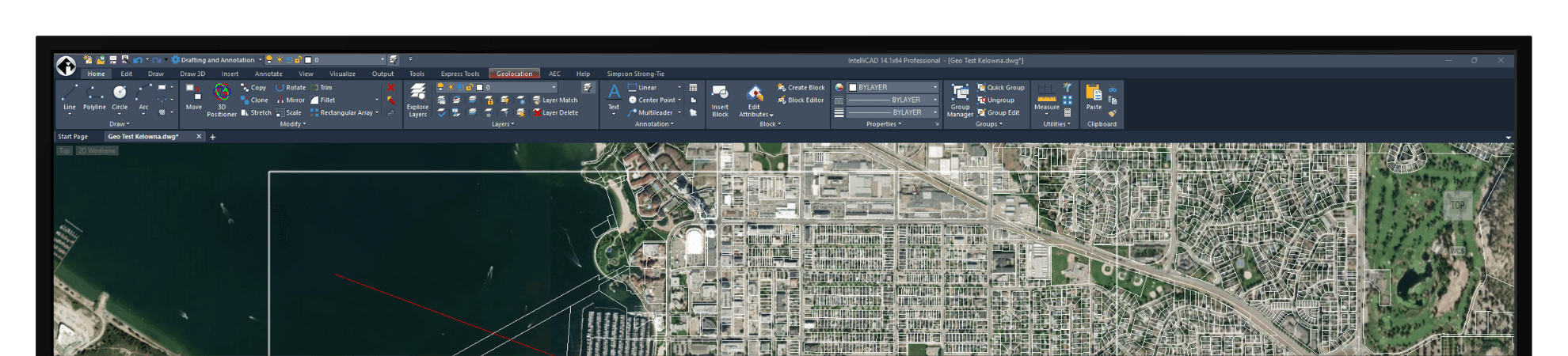
Export and print drawings to geospatial PDF so reviewers can see live coordinates and measurements in supported PDF viewers while they pan and zoom through designs.
-
A new “Include geospatial information” option extends the measurement metadata settings so coordinate system information from the drawing is embedded in the PDF.
-
GEO map now supports Microsoft Azure Maps in addition to existing providers, with support for multiple map types and a new GEOMICROSOFTSERVICE command to switch between Bing and Azure services.
Faster, Safer Drafting
-
Up to 63 percent faster line creation when using entity snaps.
-
Up to 2x faster Copy command when VBA is enabled, plus a noticeable performance boost for UNDO and GEO map rendering.
-
Enhanced Undo and Redo, including the new Multiple Redo (MREDO) command, so users can reverse several undo steps in a single operation and roll back changes to session and registry system variables.
-
Digital signatures now use Cryptography Next Generation (CNG) technology, with support for self-signed certificates to simplify secure signing workflows.
Smarter Block Editing, Tables, and Layers
-
New Test Block window (BTESTBLOCK) lets users try advanced blocks directly from the Block Editor without saving changes to the block definition. All standard commands remain available inside the test window, and the new BLOCKTESTWINDOW system variable indicates when a test block window is active.
-
Tool palettes are more flexible, now supporting images, leaders, and external references, with image names and previews available at a glance.
-
Tables can be auto filled with blocks placed in selected cells, and users can move through table cells using Home, End, Page Up, and Page Down keys for faster editing.
-
Layer management is more connected to external tools. Export group layer filters to .lft files, and copy layer settings directly from Explorer, then paste them into applications such as Microsoft Excel for reporting and auditing.
-
The Overkill command has been extended to work with dimensions and multileaders, helping clean up more types of duplicated or overlapping geometry.
BIM and DGN Enhancements
-
BIM workflows gain finer control over how doors and windows interact with walls. New anchor options let users define how openings move, scale, flip, and orient relative to wall geometry along X, Y, and Z axes.
-
A new Cycle Measure To option allows door and window placement using dimensions to the left edge, center, or right edge of the opening, with the AECDEFAULTMEASURETO system variable controlling the default behavior.
-
For native DGN workflows, IntelliCAD 14.1 adds PDF export, an export to DWG options dialog, color palette editing, layer visibility control for external references in Explore Layers, block preview on insert, and command line versions of REFEDIT and REFCLOSE.
User Interface and Everyday Productivity
-
Selection cycling can now be toggled directly from the status bar, making it easier to resolve overlapping entities.
-
Options and Drawing Settings dialogs now link to each other, so users can switch between drawing level and application level controls without closing dialogs.
-
Tool palettes for images now show both the image name and preview, and the Attribute Editor includes a new context menu for more efficient editing.
-
Icon sets change automatically with the selected UI theme, keeping the interface consistent in Dark, Gray, or Light modes introduced in IntelliCAD 14.0.
LISP, IcARX, and API Improvements
-
IntelliCAD 14.1 adds support for compiled and fast load LISP applications in FAS and VLX formats, enabling protected distribution of LISP based functionality.
-
The LISP Debugger extension adds “program” and “cwd” options so developers can specify the IntelliCAD executable path and working directory when debugging in Visual Studio Code.
-
Additional LISP tablet functions and CAutoMLeader methods expand automation options, along with new VLX helper functions such as vl-list-loaded-vlx, vl-unload-vlx, and vl-vlx-loaded-p.
-
.NET developers gain a Close method on PaletteSet, and IcARX continues to add ObjectARX compatible functions, including OdBrBrep getPointContainment, as part of the long term ARX clone initiative.
Under the Hood: Fixes and Technical Updates
-
Extensive fixes improve reliability in external references, raster to PDF export, snapping, trimming, dynamic input, polylines and fillet, multileaders, tables, data extraction, and more.